QuickBooks Sales Order Automation for Distributors
How QuickBooks sales order automation works for distributors — including the Online vs Desktop sales-order difference, and how to automate sales orders from email, PDF and spreadsheets.
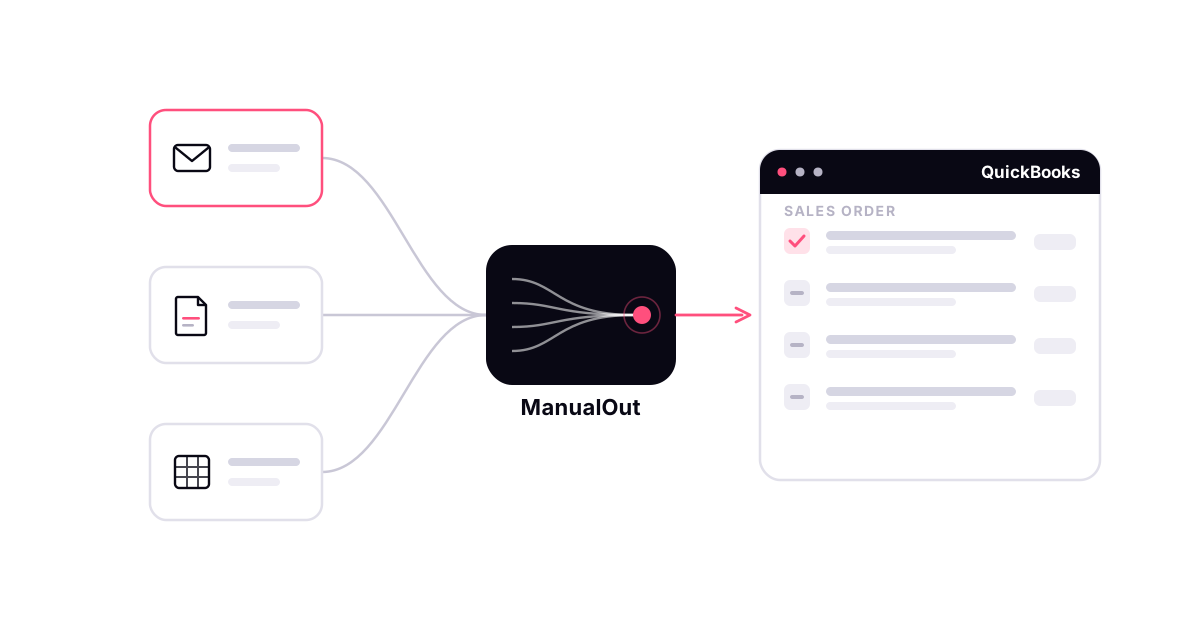
For distributors, the sales order is where an order becomes real — it is what gets picked, shipped and invoiced. QuickBooks sales order automation is about getting that document created from the orders customers actually send, without your team typing every line. This is a practical guide for distributors, including one detail that changes everything: whether your QuickBooks even has a sales order.
First: does your QuickBooks have a sales order?
This is the question most articles skip. QuickBooks Desktop Enterprise and Premier have a true Sales Order transaction. QuickBooks Online does not — it has no native sales order, so orders are handled as estimates or invoices instead. So sales order automation QuickBooks Online means automating the estimate or invoice you use in its place, while on Desktop it means creating an actual Sales Order. Any tool you consider has to map to the edition you run.
What QuickBooks sales order automation actually means
There is no button inside QuickBooks that reads an emailed PDF and files a sales order for you. QuickBooks sales order automation means adding an order-intake layer in front of QuickBooks that reads each incoming order, does the matching a person would do, and creates the transaction. When that reading is done with AI — AI sales order automation — it copes with the fact that no two customers format an order the same way. ManualOut's QuickBooks order entry automation works exactly this way, and the same mechanics apply to any sales order automation for distributors.
The QuickBooks sales order workflow, automated
Automated sales order processing in QuickBooks follows the same path your order desk does, without the typing:
- Capture the order from email, PDF, Excel or WhatsApp
- Extract the customer, PO number, items, quantities and units
- Match each line to your QuickBooks Item list and selling units
- Apply the customer's price level, class or location
- Create the sales order — a Sales Order in Desktop, or the estimate or invoice in Online
- Send anything uncertain to a person before it is booked
The result is QuickBooks automated sales orders that arrive already matched and priced, so the desk reviews exceptions instead of doing sales order entry by hand.
Why it matters for FMCG and B2B distributors
QuickBooks sales order automation for FMCG distributors earns its keep because of how these orders arrive — a chef's WhatsApp message, a buyer's PDF, a reorder spreadsheet — and how fast they need turning around. Manual QuickBooks sales order entry caps throughput at how quickly people can type, and every rushed entry risks a wrong item or quantity. Automating the intake lifts that ceiling without adding headcount, which is the whole point for a growing distributor.
Keep a person in the loop
Automation is only useful if you can trust what reaches your books. Clean, confidently matched orders become QuickBooks sales orders automatically; anything ambiguous — an unfamiliar item, a customer code with no match, a quantity that looks wrong — is flagged for review rather than guessed. Your team approves the exceptions instead of keying every order.
How to start
Start with one channel and a sample of real orders, and compare what the intake layer prepares against what your team would have entered. If it holds up, widen it channel by channel. For the edition-by-edition detail, read how to automate order entry in QuickBooks and QuickBooks order management for distributors, or book a demo to see it run on your own orders.
QuickBooks and Intuit are trademarks of Intuit Inc. ManualOut is an independent product and is not affiliated with or endorsed by Intuit Inc.
Frequently asked questions
Can you automate sales orders in QuickBooks?
Yes, but not with QuickBooks by itself. You add an order-intake layer in front of it that reads the incoming order, matches each line to your Item list and pricing, and creates the sales order — a true Sales Order in QuickBooks Desktop, or the estimate or invoice you use in QuickBooks Online. QuickBooks stays your system of record.
Does QuickBooks Online support sales order automation?
QuickBooks Online has no native Sales Order transaction, so "sales order automation" there means automating the estimate or invoice you use in its place. QuickBooks Desktop Enterprise and Premier have a true Sales Order. Automation should map to whichever edition you run.
What is AI sales order automation for QuickBooks?
It is using AI to read unstructured customer orders — email bodies, PDF purchase orders, spreadsheets — and turn them into QuickBooks sales orders without rekeying. The AI extracts the customer, items, quantities and units and matches them to your QuickBooks records, while a person reviews anything uncertain.